When calls from a Google Business Profile drop, the cause is usually one of nine things, and most of them take minutes to find: a seasonal dip, a suspended or unverified profile, an edit you did not make, wrong hours, a broken phone number, a run of bad reviews, a new competitor or spam listing, a ranking loss in part of your area, or a problem on the website the profile links to. The mistake I see most is changing the business name or category in a panic before checking any of them, which can make things worse. This article walks through the nine checks in the order I run them, with the exact place to look for each, a worked example with real numbers, the changes that do nothing, and the questions owners ask most.
Where the call numbers live
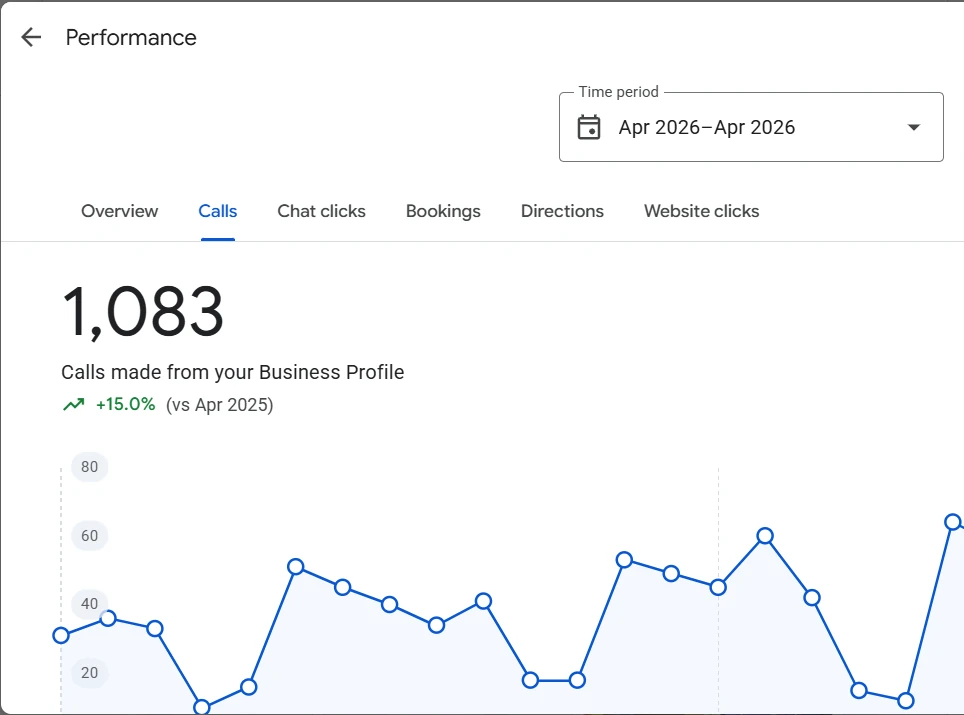
Calls are reported in the Performance view of your profile. Search your business name on Google while signed in to the account that manages it, or open it from Google Maps, then follow this path:
Your profile on Google > Performance > Calls tab > set the time periodThe Calls count is the number of times people tapped the call button on your profile. It is not the number of calls your phone system received, and it does not include people who read your number and dialed it by hand. That matters when you compare it with your call log: the two will never match exactly, but they should move in the same direction.
Check 1: Compare the same month last year
Calls are seasonal. A dental practice is quieter in late December. An air conditioning company is far busier in July than in March. Before you compare this month with last month, compare it with the same month a year earlier. The Performance view shows the change against the previous year directly under the number.
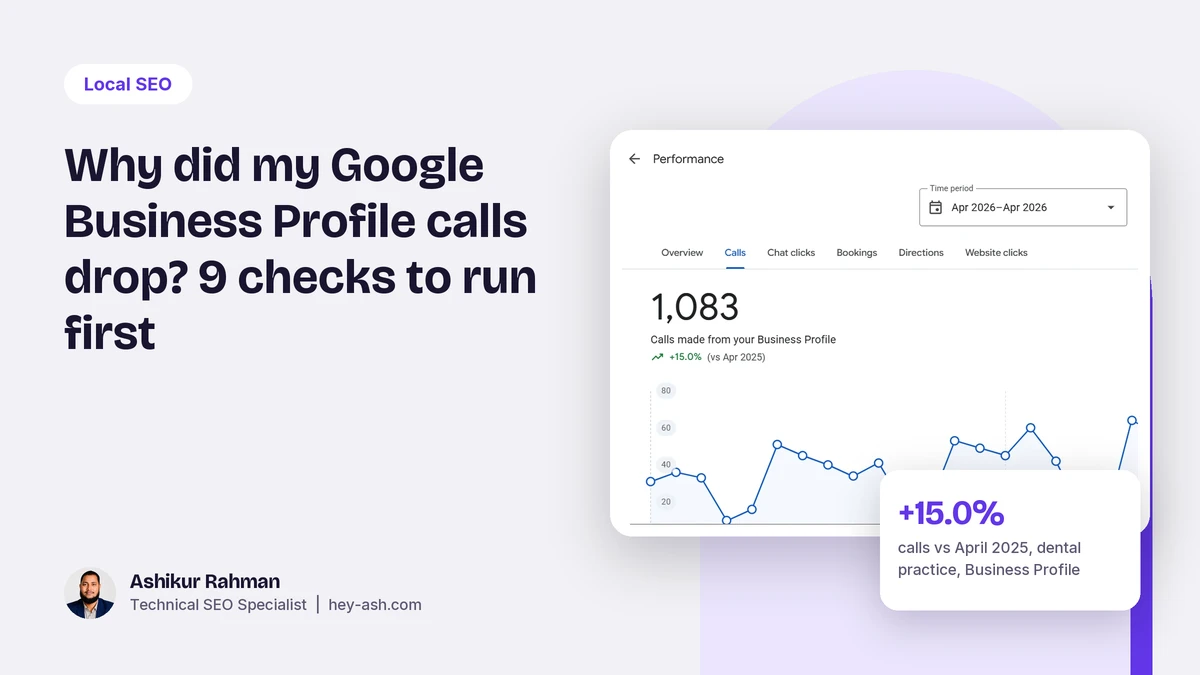
On one dental practice I worked with, April 2026 brought 1,083 calls from the profile, up 15.0% on April 2025. Month on month, the same profile can look flat or even down, simply because March is a busier month for that practice. The year-on-year line is the honest one.
Check 2: Make sure the profile is still verified and live
Search your business name on Google Maps from a phone that is not signed in to your account. If the profile is missing, shows as closed, or the management view says it is suspended or needs verification, that is the whole answer. A suspension is a reinstatement job. Optimizing a suspended profile changes nothing until it is back.
Check 3: Look for edits you did not make
Google and members of the public can suggest changes to your profile, and some are applied automatically. Open the profile editor and check five fields against what you set: business name, primary category, phone number, website link and hours. A changed primary category is one of the most common causes of a sudden drop I see, because the category decides which searches the profile can appear for. If you see a notice that Google updated your profile, review each change and reject the wrong ones.
Check 4: Check the hours, including holidays
If the profile shows Closed when someone searches, they call the next business on the list. Set special hours for every public holiday you are open or closed, and make sure the regular hours match the hours you actually answer the phone. A profile that says open until 7 PM while the phone goes to voicemail at 5 PM loses calls and collects complaints.
Check 5: Call the number on the profile yourself
A new call tracking number, a change of phone provider, a forwarding rule, or a menu that drops callers can break calls without anyone noticing. Tap the call button on your own profile from a mobile phone and listen to what a customer hears.
If you use a tracking number, Google's guidelines allow it as the primary number as long as your main business number is listed as an additional number. Use the same tracking number consistently so your name, address and phone stay consistent across the web. On the website, the phone number in your structured data should match what your profile shows:
<script type="application/ld+json">
{
  "@context": "https://schema.org",
  "@type": "LocalBusiness",
  "name": "Example Plumbing Co",
  "telephone": "+1-512-555-0100",
  "url": "https://exampleplumbing.com/"
}
</script>
Check 6: Read your recent reviews
A run of one-star reviews, or a drop in your average rating, changes who taps the call button. Read the last 30 days of reviews in the profile. Reply to every review, good and bad, in plain language. For reviews that break Google's policies, such as fake reviews, reviews from people who were never customers, or off-topic rants, report them through Google's review management tool, and appeal if the first report is rejected. I report and appeal every negative review that looks like a policy violation, because the decision belongs to Google, not to me.
Check 7: Look at who now sits above you
Search your main service from inside your area, on a phone, signed out. Note which businesses appear in the top three of the map pack. New competitors are a fact of life. Spam listings are not: fake locations, or business names stuffed with keywords like Best Emergency Plumber Austin 24 7. Those can push a real business out of the top three. Report them with a suggested edit on the listing, and for persistent cases use Google's Business Redressal Complaint Form.
Check 8: Check rankings across the map, not from your office
Local results depend on where the searcher is standing. You might rank first two blocks from your office and seventh two miles away. A single search from your desk tells you almost nothing about the rest of your service area. A grid scan from a tool such as Local Falcon checks your position from dozens of points across the area and shows where you are strong and where you have slipped. If calls dropped but your office search looks fine, this is usually where the answer is.
Check 9: Check the website the profile links to
Your profile and your website support each other. If the landing page went down, started redirecting somewhere odd, or lost its address and service details, map rankings can follow. Confirm the link works and returns a 200 status, and that the name, address and phone on the page match the profile exactly. Tag the profile link so you can see its visits in GA4:
# the website link to set on the profile
https://yourdomain.com/?utm_source=google&utm_medium=organic&utm_campaign=gbp

# check the page answers and does not redirect in a loop
curl -s -o /dev/null -w "%{http_code} %{url_effective}\n" -L "https://yourdomain.com/?utm_source=google&utm_medium=organic&utm_campaign=gbp"
Keep a monthly call log so the next drop is easy to explain
Most of the time spent on a call drop goes into working out what changed and when. A simple monthly log removes that work. On the first business day of each month, record the previous month's numbers from Performance next to anything that changed in the business. When calls fall, the cause is usually sitting in the notes column. The figures below are an example of the format, not a real client.
month,calls,calls_yoy_pct,website_clicks,direction_requests,rating,new_reviews,notes
2026-09,212,+8.1,140,96,4.7,11,"new tracking number from 9 Sep"
2026-10,171,-4.0,128,90,4.6,6,"primary category changed by Google 14 Oct, reverted 20 Oct"
Three habits make the log useful. Record the year-on-year percentage, not only the raw count, so seasonal months do not look like problems. Write every change in the notes, including changes you did not make, such as a Google update to the category. And keep the phone system's own call count in a second column if you have one, so you can see whether profile calls and real calls move together. When they split, the problem is usually the phone setup rather than the profile.
A worked example
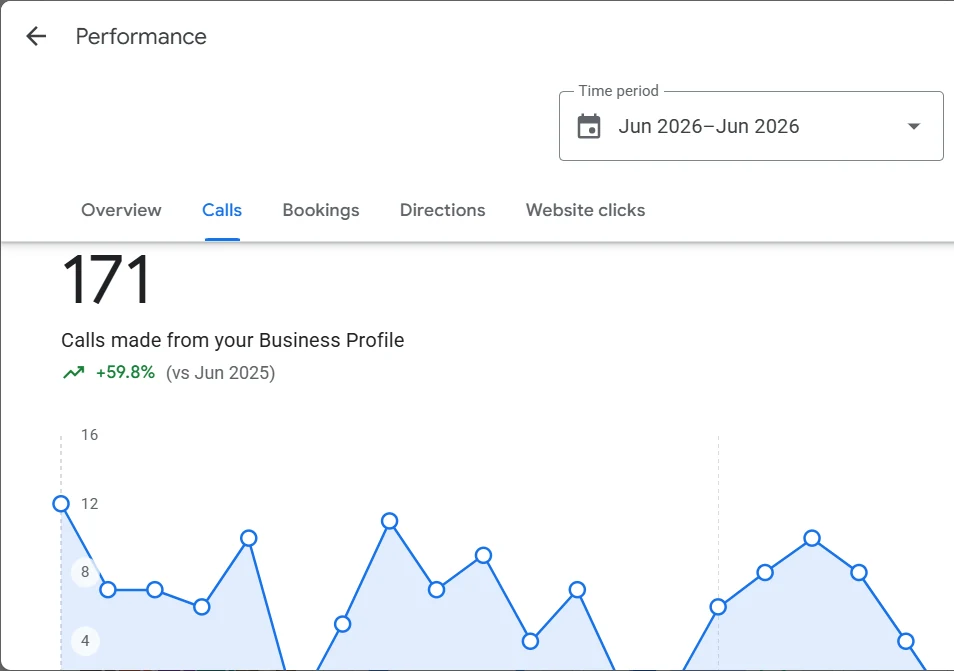
On a medical practice profile I worked on, Performance showed 171 calls in June 2026, up 59.8% on June 2025. This is the view to keep for every location: one month, one year-on-year comparison, read the same way each time. If that line turns down, run the nine checks above in order before you change anything, and write down what you found so next month's reading has context.
What does nothing
- Adding keywords to your business name. It breaks Google's guidelines, it can get the profile suspended, and competitors report it.
- Changing the primary category every week to test it. Each change resets what Google thinks you are.
- Posting updates every day with no other work. Posts are useful for customers, but they do not fix a broken number or a suspension.
- Buying reviews. They get filtered, and a pattern of fake reviews can put the whole profile at risk.
- Creating a second profile for the same location. Duplicates split your reviews and can lead to suspension.
Questions people also ask
Why is my Google Business Profile not showing up in search?
The most common reasons are a suspension, a profile that still needs verification, a recent change to the name, address or category that is under review, or simply ranking outside the top results for that search location. Check the profile status first, then search from a phone in different parts of your area.
Why is the call button not showing on my Google Business Profile?
The call button needs a phone number on the profile. If the number field is empty, was removed by an edit, or the profile is not verified, the button does not appear. Check the phone field in the profile editor and confirm the profile is verified.
Why is my Google Business Profile not showing after verification?
A newly verified profile can take some days to appear in search and Maps. If it still does not show after that, check for a pending edit under review, a suspension notice, or a duplicate listing at the same address.
Can I use call tracking on Google Business Profile?
Yes. Google allows a tracking number as the primary phone number as long as your main business number is listed as an additional number. Use one tracking number consistently so your phone number stays the same across your website and listings.
Why am I getting spam calls about my Google Business Profile?
Many of these calls come from companies that claim to work for Google. A Google Business Profile is free, and Google warns businesses about callers who say otherwise. Do not pay or share account access on a call you did not expect, and manage the profile only from your own signed-in Google account.
Want a second pair of eyes on your profile?
Send me your profile link and a screenshot of the Performance tab. I will tell you which of these checks is the likely cause, and you can hire me for ongoing local SEO on Upwork.
Related reading: how to get your business cited by ChatGPT and AI Overviews, what crawled, currently not indexed means, and the full local SEO and Google Business Profile service.