Crawled, currently not indexed means Googlebot fetched your page, read it, and decided not to add it to the index for now. Nothing blocked the crawl. Google made a quality and duplication decision, and your job is to find out which one. This article covers where the status lives in Search Console, how it differs from Discovered, currently not indexed, how to read the page the way Google read it, the five causes I find most often and the fix for each, how to ask Google to look again, a worked example, the things that do nothing, and the questions people ask most about this status.
It is the indexing status I get asked about more than any other. It is also the one with the least helpful official explanation. Google's help text says the page may or may not be indexed in the future and that there is no need to resubmit it for crawling. That sentence is true, and it is no use at all when the page in question is the one you need to rank.
Where to find it in Search Console
Open Google Search Console for the property, then follow this path:
Search Console > Indexing > Pages > Why pages aren't indexed > Crawled - currently not indexedClick the row to open the list of affected URLs. The table shows up to 1,000 examples with the date Google last crawled each one. Use the Export button at the top right to download the list as a spreadsheet. On a large site, the example list is a sample, so also note the total count at the top of the report. You will compare against that number later.
Two things to check before you do anything else. First, look at the chart above the table. If the line rises in a steep step on one date, something changed on that date: a migration, a template release, a CMS update, a new filter system that started producing URLs. Second, look at the Last crawled column. If most dates are recent, Google is actively reconsidering the pages. If most are months old, Google has stopped spending time on them, and you will need stronger signals to bring it back.
Crawled versus discovered: two different problems
These two statuses look alike and need opposite fixes. Discovered, currently not indexed means Google knows the URL exists, usually from a sitemap or a link, but has not fetched it yet. That points at crawl scheduling: too many URLs on the site, a slow server, or pages so weakly linked that Google does not think they are worth the trip. Crawled, currently not indexed happens after the fetch. Google already has the page. Making it crawl faster changes nothing, because the crawl was never the problem. Google read the content and was not convinced it deserved a place in the index.
Step 1: Sort the URLs by template before you fix anything
Paste the exported URLs into a sheet and add a column for page type. Product page, category page, blog post, tag archive, author archive, location page, URL with parameters, paginated page, internal search result. On almost every site I audit, a pattern appears inside ten minutes. One template accounts for most of the list.
Then mark the URLs that should never be indexed. Feeds, internal search results, sort and filter parameters, tag archives with two posts, print versions, and old pagination are noise. Google leaving them out is the correct outcome. Do not spend an hour on them. The only work they need is to stop being produced or linked, so Google stops spending crawls on them. What is left is the real list: pages that earn money or answer a search someone actually makes.
Step 2: Read the page the way Google read it
Take three or four URLs from each group on the real list and run them through URL Inspection:
Search Console > URL Inspection (top search bar) > paste URL > View crawled page > HTMLThat HTML is the copy Google stored. You are checking three things in it. Is the main content in the HTML, or does the body hold an empty container that JavaScript fills later? Does the title describe this page, or is it the site name repeated on every route? Where does the canonical tag point? You can run the same checks from a terminal on any number of URLs:
# status code, then the canonical tag, then a rough word count of the raw HTML
curl -s -o /dev/null -w "%{http_code}\n" https://yourdomain.com/page
curl -s https://yourdomain.com/page | grep -io '<link rel="canonical"[^>]*>'
curl -s https://yourdomain.com/page | sed 's/<[^>]*>//g' | wc -w

# check for a noindex sent in the HTTP header instead of the HTML
curl -sI https://yourdomain.com/page | grep -i x-robots-tag
This step catches the problems no audit tool score shows you. In 2026 I worked on a Lovable site where every route served the homepage title, an empty body, and a canonical tag pointing at the homepage until server rendering was switched on. Google did exactly what the tag said and treated every inner page as a copy of the homepage. Fixing the build was step one. Getting Google to come back and reconsider each page took much longer than the fix itself.
Step 3: Match the cause to the page type
These are the five causes I find most often, in the order I check them.
1. Near-duplicates
Location pages or product variants that differ only by a city name, a size, or a color. Google indexes one and leaves the rest out, because indexing ten copies of the same answer helps no one. The fix is to merge them into one stronger page, or to give each one facts that only it has: local prices, local photos, stock, specifications, reviews from that area. A quick test: search for a full sentence from the page in quotes. If a different URL on your own site appears instead, Google already has a version it prefers.
2. Thin pages
A short paragraph under a large template, or a product page with a title, a price and nothing else. Add what the searcher needs to make a decision: specifications, dimensions, steps, real photos, prices, delivery details, and answers to the questions people actually ask. Fix the template, not one page at a time. If 300 product pages share one thin layout, changing the layout once fixes 300 pages.
3. Weak internal links
Pages that only the XML sitemap links to. Google reads a sitemap as a list of suggestions and reads links from your strong pages as a vote. Link to the page from the body copy of related pages, from the category above it, and from your navigation where it makes sense. A footer link on every page counts for far less than one link inside a relevant paragraph.
4. Canonical confusion
A canonical that points somewhere else, a relative canonical, a canonical with the wrong hostname, or several URLs claiming the same canonical. Each page you want indexed should canonicalize to itself with an absolute URL, spelled exactly as it appears in your sitemap:
<link rel="canonical" href="https://yourdomain.com/services/technical-seo" />5. Soft 404s and empty pages
Category pages with no products, search pages with no results, or a not-found message shown on a page that returns HTTP 200. Return a real 404 or 410 status for pages that should not exist, redirect them with a 301 to the closest real page, or fill them. Check the status with the first curl command above. The screen can say Not Found while the server says 200, and Google listens to the server.
Step 4: Fix, then ask Google to look again
- Fix the template, deploy it, and confirm the change is in the live HTML with the curl checks above.
- Keep each fixed URL in your XML sitemap and update its lastmod date. Google ignores priority and changefreq, but it does read lastmod.
- Request indexing for the handful of most important URLs: URL Inspection, paste the URL, Request Indexing. There is a small daily limit, so choose carefully.
- Open the issue in the Pages report and click Validate Fix. Google samples the URLs and reports back over the following days and weeks.
- Watch the total count, not the example list. The count is the honest measure.
This is what an updated sitemap entry looks like for a page you have just improved:
<url>
  <loc>https://yourdomain.com/services/technical-seo</loc>
  <lastmod>2026-10-31</lastmod>
</url>
Expect weeks, not days. Google has to recrawl each page and reassess it, and on a large site that takes time. If the count has not moved after a month, go back to Step 2. In my experience the cause is usually still sitting in the HTML.
A worked example: what a cleanup does to the numbers
On an affiliate review site I worked on through Upwork in 2026, the crawl showed 234 dead links, 286 broken images, and 13 of 15 redirects pointing at a dead host. Twelve days later every one of those counts was zero. Four weeks after that, Search Console showed impressions up from 533 to 863 and average position up from 84.6 to 51.4. None of that came from a single trick. It came from giving Google a site where every page it fetched worked and pointed somewhere real.
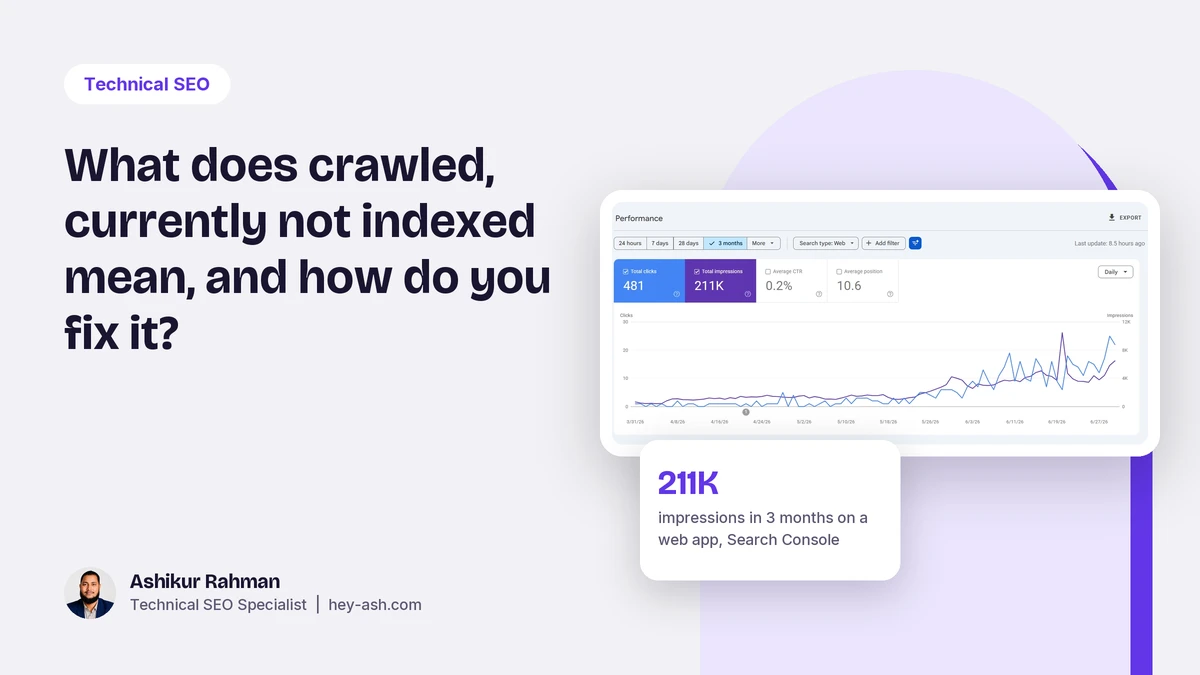
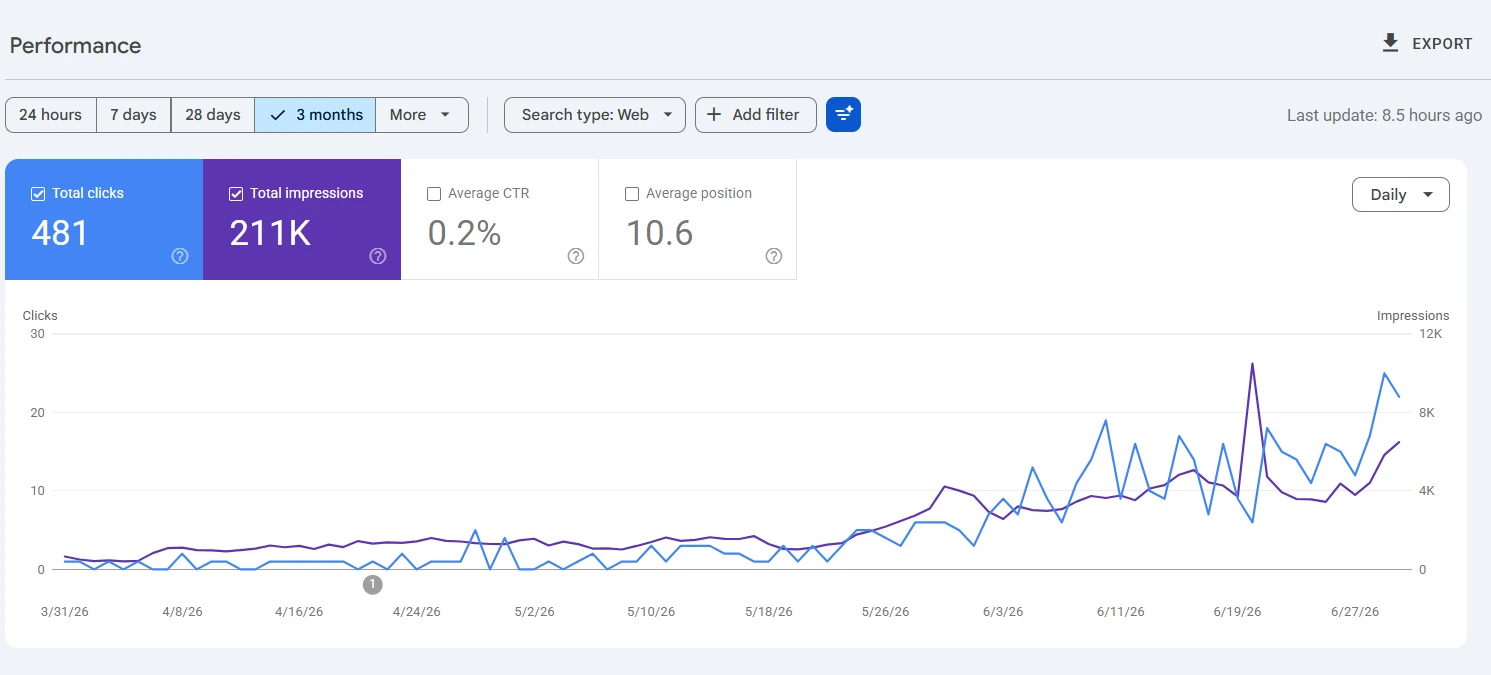
The Performance report is also where you confirm that newly indexed pages are pulling their weight. This is the report for a web app, read the same way: 481 clicks and 211K impressions in three months, at an average position of 10.6.
What does nothing
By the time most people read an article like this, they have already tried three things. These are the ones that do not move the count.
- Requesting indexing over and over for the same URL. If the page has not changed, Google reaches the same decision.
- Resubmitting the sitemap every day. Google already has it. A new lastmod on a changed page helps. A resubmit with nothing changed does not.
- Adding a few hundred words of filler. Length is not the test. A page that answers the question in 400 words beats a padded 1,500 word page.
- Paid indexing services and ping tools. They cannot make Google keep a page it has decided not to keep.
- Changing the publish date without changing the content.
Questions people also ask
What does crawled, currently not indexed mean?
It means Googlebot fetched the page and chose not to add it to the index for now. The crawl worked. The page did not pass Google's quality or duplication check at that moment, and Google may reconsider it later.
How do I fix crawled, currently not indexed in Google Search Console?
Export the URLs from Indexing > Pages, sort them by template, and ignore the ones that should never be indexed. For the rest, check the stored HTML in URL Inspection, fix duplication, thin content, weak internal links or canonical errors at the template level, then update lastmod in your sitemap and click Validate Fix.
Why did validation fail for crawled, currently not indexed?
Validation fails when any of the URLs Google samples still has the status. It does not mean your fix was wrong. Google reassesses pages over weeks, so check whether the total count is falling, fix any URLs that still fail, and start validation again.
What is the difference between crawled and discovered, currently not indexed?
Discovered means Google has not fetched the page yet, which points at crawl scheduling, server speed or weak links. Crawled means Google has already read the page and declined to index it, which points at content quality or duplication.
How long does it take for Google to index a page after a fix?
Usually days to a few weeks for important pages that you request through URL Inspection, and longer for large batches. It depends on how often Google crawls the site and how strong the internal links to those pages are.
Want me to look at your Pages report?
Send me your URL and a screenshot of the Page indexing report. I will tell you which URLs matter and what is holding them back, and you can hire me for the fixes on Upwork.
Related reading: how to get your business cited by ChatGPT and AI Overviews, whether programmatic SEO still works, and the full technical SEO audit and fixes service.